When a regression suite for a single order-to-cash process needs to log into SAP GUI for a credit check, jump to Fiori to create a sales order, hand off to a custom .NET shipping portal, and finish in a third-party logistics web app, SAP testing stops being an SAP-only problem.
That is where many enterprise QA programs lose time. The SAP layer may be covered, but the full business process is not.
Modern SAP environments are rarely one stack. SAP GUI for Windows still supports many classic business transactions. Fiori and SAPUI5 carry more of the modern web experience. S/4HANA release cycles continue to introduce business-process change. Around all of that, finance, HR, supply chain, and procurement workflows often touch non-SAP applications such as custom portals, legacy Windows tools, Salesforce, ServiceNow, Workday, and third-party logistics platforms.
That means the right SAP test automation tool should do more than automate SAP screens. It should help QA teams validate the full business process, including the systems SAP connects to.
This guide walks through the SAP test automation tools enterprise QA teams commonly evaluate, what each one is best suited for, and where teams may need broader coverage.
| Already know you need SAP plus cross-platform coverage in one tool? Walk us through your SAP estate, and we will show you where Ranorex delivers cross-platform reach that most SAP-only tools miss. |
Key takeaways
- SAP test automation is rarely limited to SAP alone. Real business processes often cross SAP GUI, Fiori/SAPUI5, APIs, custom web apps, desktop applications, and third-party systems.
- SAP Solution Manager mainstream maintenance ends on December 31, 2027, and SAP recommends transitioning to SAP Cloud ALM before that date. Teams that rely on Solution Manager, CBTA, or eCATT should evaluate how those assets fit into their future ALM roadmap.
- SAP and Tricentis have multiple related offerings. Tricentis Test Automation for SAP is available to SAP Enterprise Support customers for SAP-focused testing. At the same time, SAP Enterprise Continuous Testing by Tricentis supports testing across SAP and third-party applications.
- SAP GUI scripting is a key prerequisite for automating SAP GUI for Windows. Ranorex documentation notes that SAP GUI scripting must be enabled on both the server and client, including setting sapgui/user_scripting to TRUE on the application server.
- Cross-platform reach is often the differentiator. A tool that can extend SAP tests into desktop, web, mobile, and custom enterprise applications can reduce tool sprawl and help teams validate end-to-end workflows.
What are SAP test automation tools?
SAP test automation tools are software platforms that help you validate SAP business processes without manually running every transaction. These tools can automate workflows across areas such as order-to-cash, procure-to-pay, hire-to-retire, record-to-report, and supply chain execution.
Depending on the tool, SAP test automation may include:
- SAP GUI for Windows transaction automation
- Fiori and SAPUI5 web automation
- S/4HANA workflow validation
- OData and API testing
- Regression testing for SAP releases and upgrades
- Integration testing across SAP and non-SAP systems
- Test execution inside CI/CD or ALM workflows
The category includes both SAP-native tools and third-party platforms.
SAP-native tools, such as eCATT and Component-Based Test Automation in SAP Solution Manager, are part of the SAP ecosystem. They can be useful for SAP-centered teams, especially those with existing investments in SAP Solution Manager or ABAP-based workflows. However, teams should evaluate how those tools fit into their transition plans as SAP shifts customers toward SAP Cloud ALM.
Third-party tools run outside the SAP stack and connect to SAP through supported automation interfaces, browser automation, APIs, or tool-specific integrations.
Tool selection usually comes down to four questions:
- Which SAP interfaces are in scope?
- Which non-SAP applications does the same business process touch?
- Who will build and maintain the tests?
- How will tests run inside the release pipeline?
What to evaluate in an SAP test automation tool
SAP GUI scripting support
If SAP GUI for Windows is in scope, the tool needs a reliable way to automate it, which requires SAP GUI scripting to be enabled on both the SAP server and the client machine. Ranorex documentation specifically notes that the sapgui/user_scripting profile parameter must be set to TRUE on the application server before SAP GUI automation can run.
This is not just a technical checkbox. Basis, security, and QA teams should align on SAP GUI scripting early to avoid automation work stalling after tool selection.
Fiori and SAPUI5 object recognition
Fiori and SAPUI5 applications often include dynamic IDs and changing UI structures. A tool should give you a way to identify elements using stable attributes, roles, text, hierarchy, or other reliable patterns, rather than relying solely on generated IDs.
S/4HANA coverage
S/4HANA testing can span Fiori apps, SAP GUI transactions, APIs, OData services, and integration points with other enterprise systems. A tool that only covers one layer may still leave gaps in regression coverage.
Non-SAP application coverage
Many business processes leave SAP. A sales order may start in Fiori, trigger validation in SAP GUI, move into a custom .NET portal, and finish in a web-based logistics app. A tool that cannot follow the process across systems may force you to maintain multiple automation stacks.
CI/CD and ALM integration
SAP teams often need test execution to connect with Jenkins, Azure DevOps, GitLab, GitHub Actions, SAP Solution Manager, SAP Cloud ALM, or another ALM platform. Command-line execution, test result reporting, and integration with release workflows matter more than logo coverage alone.
Codeless authoring for business users
SAP functional consultants and business analysts often know the business process better than anyone else. Codeless or low-code authoring can help them contribute directly to automation, rather than writing requirements for engineers to translate.
Scripting depth for engineers
Codeless tools are useful, but complex enterprise testing often still requires code. You may need scripting for test data setup, custom verification logic, exception handling, reusable modules, and integrations with other tools.
Licensing and execution model
Licensing can affect the total cost of ownership as much as authoring features do. You should compare authoring seats, runtime licenses, floating versus node-locked licenses, subscription versus perpetual options, and the cost of parallel execution infrastructure.
SAP test automation tools compared
Ranorex Studio: Strong fit for SAP plus cross-platform enterprise workflows
Overview
Ranorex Studio is a Windows-based test automation IDE for desktop, web, and mobile applications. It includes a Recorder, Ranorex Spy for object inspection, a shareable object repository, and full-code options through C# and VB.NET. Ranorex positions the platform for desktop, web, and mobile test automation, with both low-code and full-code workflows.
For SAP teams, Ranorex supports SAP GUI, Fiori, and web app testing. Ranorex documentation also confirms that SAP GUI scripting must be enabled on the SAP server and client before automating SAP GUI for Windows.
The main value for SAP teams is cross-platform reach. A single Ranorex project can support workflows that move from SAP GUI to Fiori, then into Windows desktop applications, custom web portals, or other enterprise systems. That makes Ranorex a strong fit for teams whose SAP regression testing needs to validate the full business process, not only the SAP UI layer.
What you need to know
SAP GUI scripting setup is required
Before Ranorex or any SAP GUI automation tool can interact with SAP GUI for Windows, SAP GUI scripting must be enabled. You should involve Basis and security stakeholders early instead of treating this as a late-stage setup step.
RanoreXPath can help with dynamic UI identification
SAPUI5 and Fiori applications can generate dynamic IDs, which may make brittle locators harder to maintain. RanoreXPath lets you identify elements using more stable attributes and relationships. You should still validate locator stability across application changes and S/4HANA updates.
The Recorder is useful, but scalable suites need structure
The Recorder can help you get started quickly, especially for testers who are less comfortable writing code. Larger suites usually need modular test design, shared utility logic, reusable repository items, and engineering support for custom verification or integration work.
The object repository supports centralized maintenance
Ranorex’s object repository lets you store and reuse UI element definitions in one place. This is useful for mixed-skill teams because element maintenance does not have to live only inside source code.
Licensing should be evaluated against execution needs
Ranorex supports node-locked and floating license options, and runtime installation can support execution machines depending on the license setup. Evaluate licensing based on the number of people who author tests, the number of machines that execute them, and whether parallel execution is required.
Tricentis Tosca: Strong fit for enterprise SAP teams with dedicated automation practices
Overview
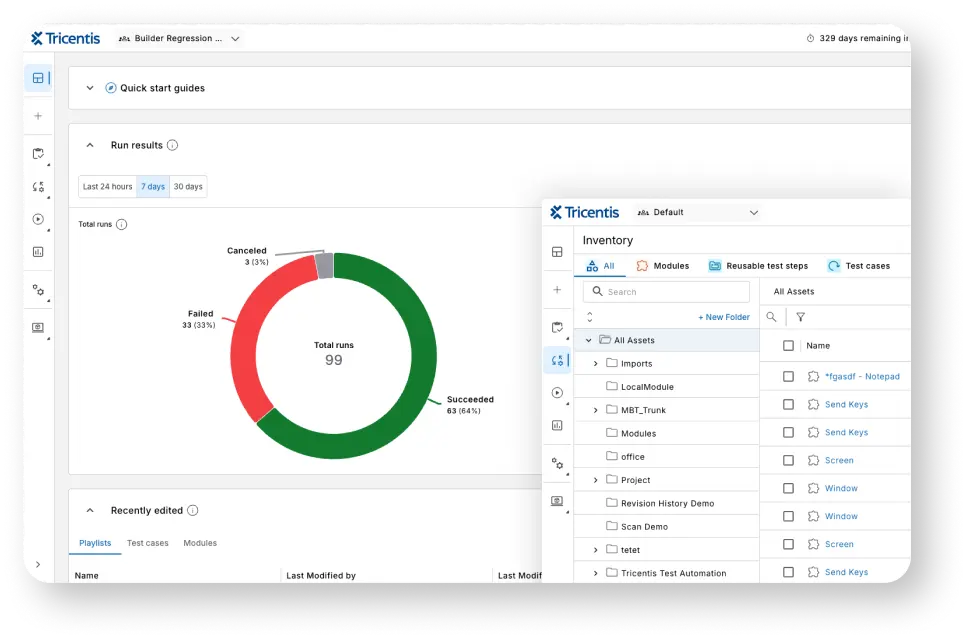
Tricentis Tosca is a model-based test automation platform widely used in large enterprise environments, including SAP programs. Instead of relying only on recorded UI sequences, Tosca builds reusable models of application components that test cases can reference.
TSAP teams often evaluate Toscabecause of the broader SAP and Tricentis relationship, as well as its fit for large-scale enterprise test automation programs.
What you need to know
Model-based testing is a different operating model
Tosca’s strength comes from abstraction and reusable modules. Teams that invest in the model-based approach can reduce maintenance in complex environments. Teams that treat it like a simple recorder may not see the same benefits.
It often requires a dedicated practice
Large Tosca implementations usually need trained specialists, governance, naming conventions, and strong ownership. This can work well in mature enterprise QA organizations, but it may be too heavy for small or newly formed automation teams.
It fits SAP-centered enterprises with budget and process maturity
Tosca is often a strong fit for organizations that already have a dedicated SAP testing practice and need broad regression coverage, risk-based testing, and enterprise-grade governance.
Pricing and packaging should be confirmed directly
Tosca and related SAP-branded offerings are typically sold through enterprise quote-based models. Teams should confirm scope, runtime costs, and integrations directly with SAP or Tricentis.
SAP Enterprise Continuous Testing by Tricentis: Strong fit for SAP buyers who want Tricentis through SAP
Overview
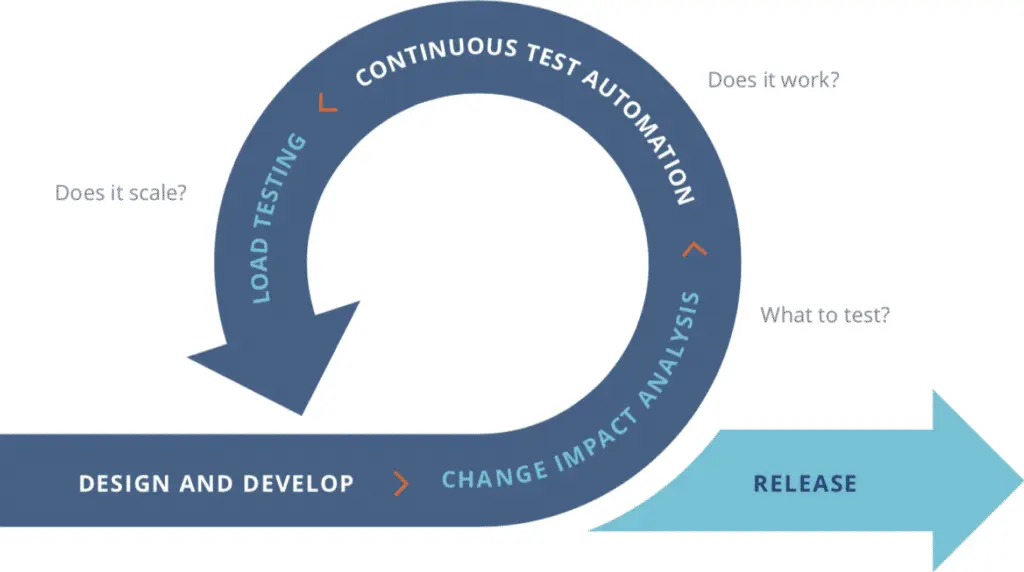
SAP Enterprise Continuous Testing by Tricentis is SAP’s branded continuous testing solution based on Tricentis technology. SAP describes it as a solution for automating testing across SAP and third-party software applications, with cloud deployment and support for comprehensive testing across SAP and third-party systems.
This offering is most relevant for teams that want Tricentis capabilities through an SAP procurement and support path.
Terminology note
SAP and Tricentis have several related offerings, which can be easy to confuse:
- Tricentis Tosca is the Tricentis platform sold directly by Tricentis.
- SAP Enterprise Continuous Testing by Tricentis is the SAP-branded solution extension for testing SAP and third-party applications.
- Tricentis Test Automation for SAP is available as an SAP Enterprise Support entitlement for SAP-focused test automation. SAP’s test automation partner page states that this is available under SAP Enterprise Support.
Confirm which product, license, and scope you are evaluating before comparing capabilities.
What you need to know
The procurement path changes, but implementation still matters
Buying through SAP can simplify procurement for SAP-centered organizations, but you still need the skills, governance, and operating model required for enterprise test automation.
SAP ALM alignment is a major advantage
For organizations standardizing on SAP Cloud ALM or SAP’s broader ALM direction, SAP Enterprise Continuous Testing by Tricentis may be easier to align with SAP’s roadmap than a disconnected third-party tool.
Scope should be checked carefully
Confirm whether your license covers only SAP-focused automation or broader cross-stack testing across SAP and third-party applications.
Worksoft Certify: Strong fit for business-led ERP testing at enterprise scale
Overview
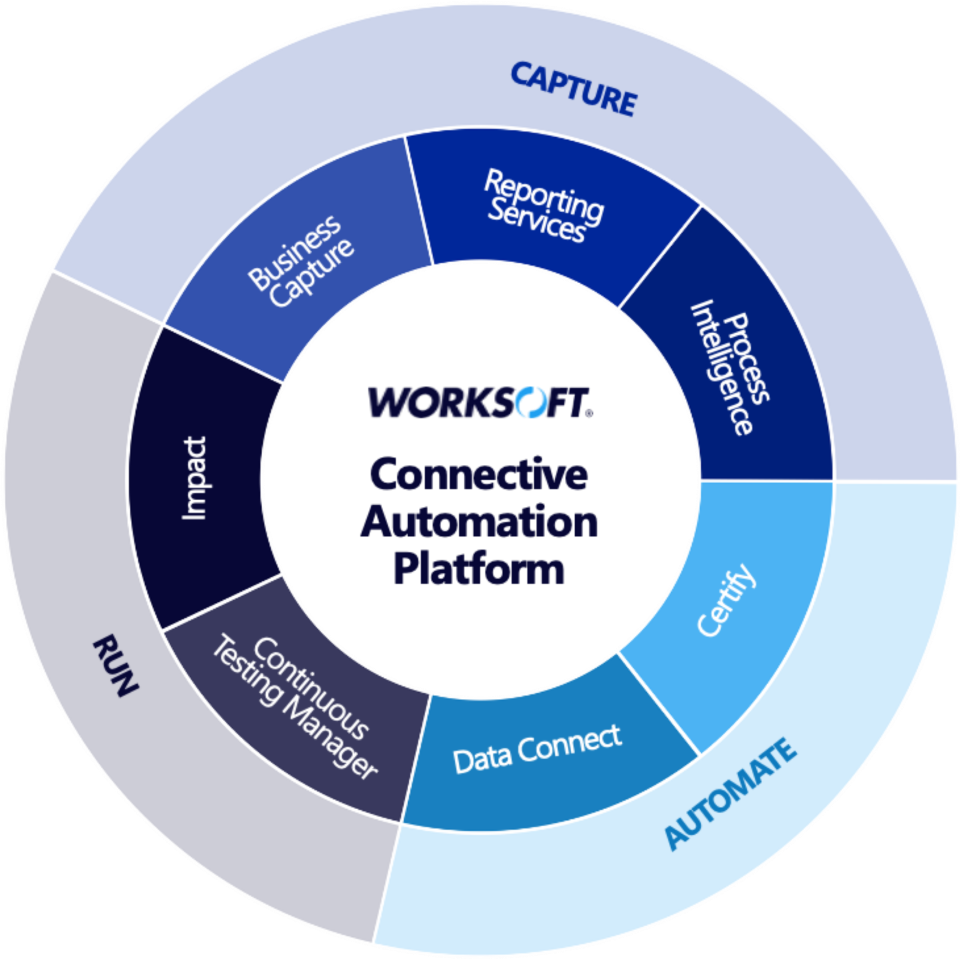
Worksoft Certify is a codeless test automation platform designed for end-to-end business process testing across packaged enterprise applications. It is commonly used in ERP-heavy environments where business users, process owners, and QA teams collaborate on regression testing.
Worksoft is often positioned for large organizations that need to validate business processes across systems such as SAP, Oracle, Salesforce, Workday, web applications, and desktop environments.
What you need to know
The no-code model is central to the product
Worksoft is designed for business-led test creation and maintenance. That can be valuable when process experts need to contribute directly to automation.
It can be attractive in compliance-heavy environments
For organizations with strict documentation needs, process capture and business-process evidence can be valuable. Teams in regulated industries should evaluate how well Worksoft supports their validation and audit requirements.
Engineering flexibility may be more limited than code-first tools
The same codeless model that helps business users can constrain teams that want deeper code-level control. Engineering-led teams should evaluate the level of customization needed before committing.
Administration and governance matter
Enterprise codeless automation still requires ownership. Permissions, integrations, environment access, and process governance should be planned from the start.
SAP eCATT: Potential fit for SAP-only regression with SAP technical ownership
Overview
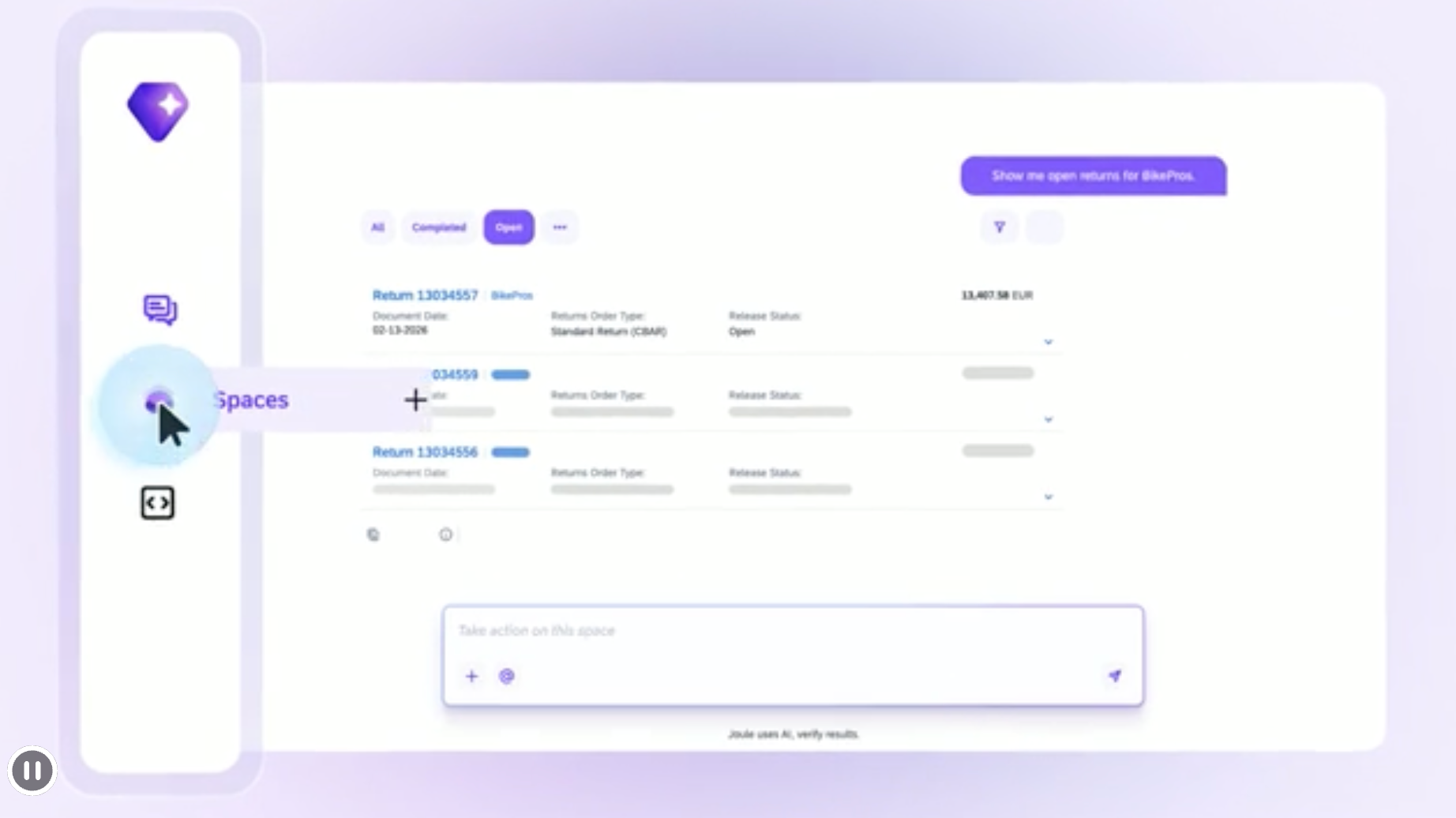
SAP eCATT, or Extended Computer Aided Test Tool, is SAP’s built-in test automation capability within the SAP NetWeaver environment. It is most relevant for teams with existing SAP technical expertise and SAP-focused regression needs.
eCATT can still be useful for maintaining existing SAP automation assets, especially in classic SAP GUI-centered environments. However, it is usually not the first choice for teams starting a new cross-platform automation program.
What you need to know
SAP technical skill is the gating factor
Because eCATT lives inside the SAP technical environment, teams often need SAP-specific expertise to build, troubleshoot, and maintain test assets effectively.
It is strongest in classic SAP-centered scenarios
eCATT is best suited to SAP-focused testing. As more workflows move through Fiori, SAPUI5, APIs, and non-SAP applications, teams should validate whether eCATT can realistically cover the interfaces and processes they need to test.
It is more of a maintenance asset than a growth strategy for many teams
Organizations with existing eCATT assets may continue to maintain them, but teams building a new automation strategy should evaluate how eCATT fits into their broader SAP Cloud ALM and S/4HANA roadmap.
Katalon Studio: Potential fit for teams starting with lower-cost, low-code automation
Overview
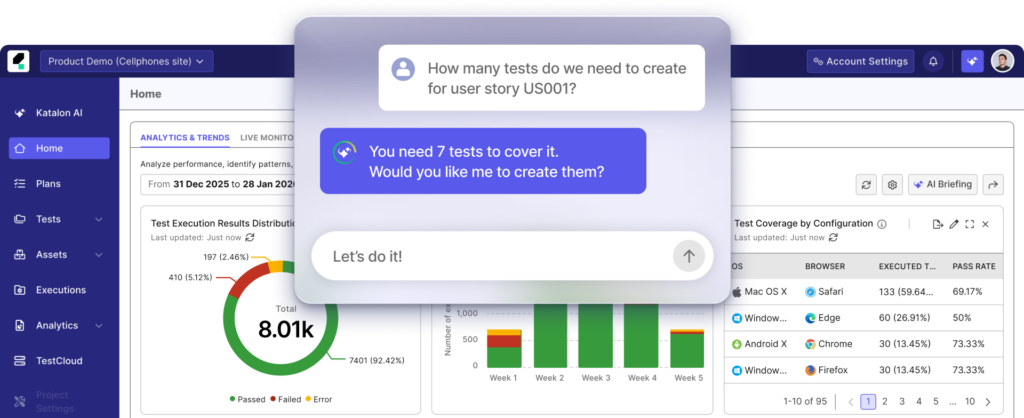
Katalon Studio is a low-code test automation platform that supports web, API, mobile, and desktop testing. It is built on Selenium and Appium, with Groovy scripting.
Katalon can be attractive to teams that want a lower-cost entry point, a familiar Selenium-based workflow, and support for multiple application types. Katalon currently offers subscription-based team pricing, with a free tier and paid plans. Because pricing changes over time, teams should validate current plan details directly.
What you need to know
SAP support should be validated against your specific interfaces
Katalon can support SAP-adjacent automation through browser, desktop, API, and partner-led approaches, but teams should test coverage against SAP GUI, Fiori/SAPUI5, and S/4HANA workflows before committing.
It may be a practical starting point for smaller teams
Teams with a limited budget or early-stage automation maturity may find Katalon easier to adopt than larger enterprise platforms.
Scale should be tested before standardization
Large SAP regression suites can involve thousands of test cases, multiple environments, and complex test data requirements. Teams should validate execution reliability, reporting, and maintainability under realistic load.
Paid tiers may be required for team workflows
As with many low-code tools, collaboration, management, and execution features may be available only with paid plans. Teams should compare the full cost of the features they actually need.
ACCELQ: Potential fit for cloud-oriented no-code SAP automation
Overview
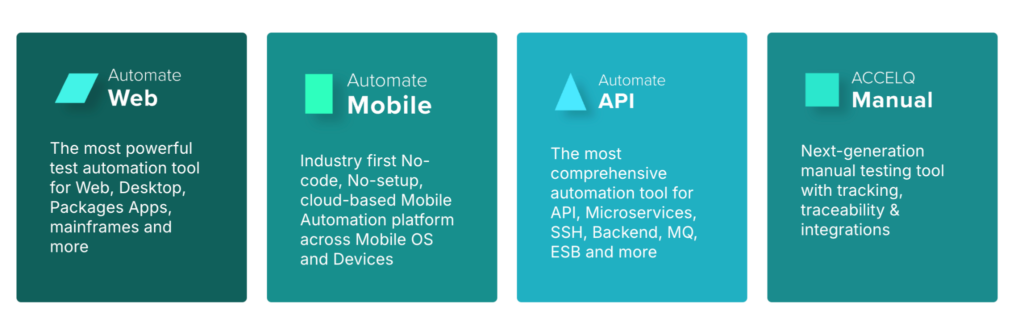
ACCELQ is a cloud-based, no-code test automation platform with SAP automation capabilities. ACCELQ documentation describes a specialized no-code framework for SAP WinGUI automation that abstracts SAP’s scripting protocol into a readable logic editor.
ACCELQ may be a good fit for teams that want cloud-native automation, no-code authoring, and support for SAP plus other application layers.
What you need to know
SAP GUI automation still requires environment planning
Even when a platform is cloud-oriented, SAP GUI automation and restricted enterprise networks may require careful connectivity and execution planning. ACCELQ documentation notes that SAP GUI scripting must be enabled for SAP WinGUI automation.
No-code does mean no governance
Business-friendly authoring can speed adoption, but enterprise SAP teams still need naming conventions, reusable assets, data management, and ownership rules.
Evaluate ecosystem depth
Teams should compare training, partner support, SAP-specific implementation resources, and long-term support options before committing to a multi-year program.
Selenium with SAP-specific bridges: Strong fit for engineering-led test-as-code teams
Overview
Selenium is an open-source WebDriver framework for browser automation. It can automate Fiori, SAPUI5, and SAP Web GUI through the browser. SAP GUI for Windows, however, is a desktop client and is outside Selenium’s native scope.
Teams that want Selenium to interact with SAP GUI for Windows typically build or adopt a bridge that calls the SAP GUI scripting API, often through Java or .NET interop layers.
What you need to know
There is no license cost, but there is an engineering cost
Selenium itself is open source, but teams still need to build and maintain framework architecture, reporting, test data management, parallel execution, object identification, and SAP-specific wrappers.
SAP GUI support becomes a custom infrastructure
If your team builds a bridge into SAP GUI scripting, that integration becomes something you own and maintain. Updates to SAP GUI, the bridge layer, or the internal framework can create ongoing maintenance work.
It works best for test-as-code organizations
Engineering-heavy teams that already use Selenium may prefer the control and flexibility. Teams expecting SAP functional consultants or business users to contribute directly may find the technical barrier too high.
| Tool | SAP GUI | Fiori/SAPUI5 | Non-SAP coverage | Codeless/low-code | Code depth | Best fit |
| Ranorex Studio | Supported through SAP GUI scripting | Supported for web/Fiori testing | Desktop, web, mobile, custom enterprise apps | Recorder and repository | C#, VB.NET | SAP workflows that extend into desktop, web, mobile, or custom apps |
| Tricentis Tosca | Supported | Supported | Web, API, mobile, packaged apps, depending on license and setup | Model-based authoring | Tosca-specific customization | Large enterprise SAP practices with dedicated automation ownership |
| SAP Enterprise Continuous Testing by Tricentis | Supported | Supported | SAP and third-party applications, depending on license scope | Model-based authoring | Tosca-specific customization | SAP buyers who want Tricentis capabilities through SAP |
| Worksoft Certify | Supported | Supported | ERP, packaged apps, web, and desktop, depending on setup | Codeless | Limited compared with code-first tools | Business-led ERP testing and compliance-heavy process validation |
| SAP eCATT | Best suited to classic SAP scenarios | Limited fit for modern Fiori-heavy workflows | Limited | No | SAP technical environment | Existing SAP-only assets with SAP technical ownership |
| Katalon Studio | Requires validation for SAP GUI use case | Browser-based automation | Web, API, mobile, desktop | Low-code | Groovy | Smaller teams or teams starting with lower-cost automation |
| ACCELQ | SAP WinGUI automation supported | SAP automation support | Web, mobile, API, database, depending on setup | No-code | Limited compared with code-first tools | Cloud-oriented no-code SAP automation |
| Selenium with SAP bridges | Requires a custom bridge to SAP GUI scripting | Supported through WebDriver | Browser-based coverage, plus custom integrations | No | Java, C#, Python, JavaScript, etc. | Engineering-led teams that want full test-as-code control |
| Want to see one Ranorex test run across SAP GUI, Fiori, and a non-SAP web app on your own environment? Start a 14-day Ranorex trial or read more about our approach to SAP applications. |
Which SAP test automation tool fits your environment?
SAP-only enterprise with mature automation ownership
If your estate is heavily SAP-centered, your QA organization has dedicated automation specialists, and budget is not the primary constraint, Tricentis Tosca, SAP Enterprise Continuous Testing by Tricentis, and Worksoft Certify are likely to be on the shortlist.
Tosca and SAP Enterprise Continuous Testing by Tricentis are strong options for organizations aligned with SAP’s Tricentis partnership and enterprise ALM direction. Worksoft may be a strong fit when business-led process automation and compliance documentation are major priorities.
SAP plus a heterogeneous enterprise estate
If your processes move from SAP into custom .NET portals, legacy Windows tools, third-party web applications, or mobile workflows, Ranorex Studio is a strong fit.
This is where cross-platform coverage matters most. Ranorex can help teams build tests that follow the business process across SAP GUI, Fiori, Windows desktop applications, web applications, and mobile applications in one environment. For teams with a mix of functional testers and automation engineers, the combination of Recorder, object repository, and C#/VB.NET scripting can support both accessible authoring and deeper customization.
Small team starting an SAP automation practice
If your team is early in its automation journey or working with a constrained budget, Katalon Studio and ACCELQ may be practical options to evaluate.
Katalon may appeal to teams that want a Selenium-flavored toolchain with low-code authoring and a lower-cost entry point. ACCELQ may appeal to teams that want cloud-oriented, no-code SAP automation. In either case, teams should run a proof of concept against their real SAP interfaces and business workflows before standardizing.
Engineering-led test-as-code organization
If your team already has a strong Selenium framework and automation engineers who can maintain custom integrations, Selenium with SAP-specific bridges may be viable.
This approach gives teams control, but it also requires ownership. The team will need to build and maintain the SAP GUI bridge, object strategy, reporting, execution infrastructure, and test data workflows.
How to choose the right SAP test automation tool
The best SAP test automation tool depends less on the SAP logo and more on the full workflow you need to test.
Start with these questions:
- Do your critical processes stay inside SAP, or do they cross into non-SAP systems?
- Do you need to automate SAP GUI for Windows, Fiori/SAPUI5, APIs, or all of the above?
- Who will build and maintain tests: SAP functional consultants, QA engineers, developers, or a mix?
- How much coding flexibility does the team need?
- How will tests run in CI/CD or ALM workflows?
- What does parallel execution cost?
- How will the tool support your SAP Cloud ALM or broader ALM roadmap?
- Can the tool handle the application types your business process actually touches?
For SAP-only regression testing, SAP-specific tools may be enough. For SAP-centered workflows that span desktop, web, mobile, and custom applications, cross-platform coverage becomes increasingly important.
That is where Ranorex Studio can be especially valuable. It gives you a way to automate SAP GUI and Fiori testing while extending coverage to non-SAP systems that complete the business process.
Get a working answer for your environment
The right SAP test automation tool depends on your actual SAP landscape, the systems connected to it, and the people responsible for maintaining tests.
If your workflows span SAP GUI, Fiori, custom web apps, Windows desktop applications, or mobile applications, evaluate tools across that full path. A demo that only automates one SAP transaction may not tell you whether the tool can support your regression suite.
Ranorex Studio helps you automate across SAP and non-SAP applications in one environment, with a shareable object repository, recorder-based authoring, and C#/VB.NET scripting for more complex scenarios.
Start a free 14-day trial and test a real SAP workflow across your own environment.
Frequently asked questions
What is SAP test automation?
SAP test automation is the practice of using software-driven tests to validate SAP transactions, workflows, and business processes, rather than running each step manually. It can include SAP GUI for Windows, Fiori and SAPUI5 applications, S/4HANA workflows, APIs, OData services, and the non-SAP applications connected to the same process.
Does SAP have its own test automation tool?
Yes. SAP has native and SAP-branded options. eCATT is built into the SAP technical environment, and Component-Based Test Automation is associated with SAP Solution Manager. SAP also offers SAP Enterprise Continuous Testing by Tricentis for continuous testing across SAP and third-party applications. SAP Solution Manager mainstream maintenance ends on December 31, 2027, and SAP recommends transitioning to SAP Cloud ALM before that date.
Can Selenium be used to test SAP?
Selenium can automate browser-based SAP interfaces such as Fiori, SAPUI5, and SAP Web GUI through WebDriver. It does not natively automate SAP GUI for Windows because SAP GUI for Windows is a desktop client. Teams that want Selenium to interact with SAP GUI often need a bridge to the SAP GUI scripting API, which becomes a custom integration that the team must maintain.
What is the SAP GUI scripting API?
The SAP GUI scripting API is SAP’s automation interface for SAP GUI for Windows. It exposes SAP GUI controls so external automation tools can interact with transactions programmatically. To use it, SAP GUI scripting must be enabled on the SAP server and the client machine, including setting the sapgui/user_scripting profile parameter to TRUE on the application server.
What is the difference between SAP Enterprise Continuous Testing by Tricentis and Tricentis Tosca?
Tricentis Tosca is the Tricentis test automation platform sold directly by Tricentis. SAP Enterprise Continuous Testing by Tricentis is the SAP-branded solution extension based on Tricentis technology, designed for testing SAP and third-party applications. Teams should confirm the exact license, scope, support path, and integrations they are evaluating before comparing products.
What testing tool is best for S/4HANA?
The best S/4HANA testing tool depends on your landscape. S/4HANA testing may involve Fiori applications, classic SAP GUI transactions, APIs, OData services, and integrations with non-SAP systems. Ranorex Studio is a strong fit when S/4HANA workflows need to extend into desktop, web, mobile, or custom enterprise applications. Tricentis Tosca, SAP Enterprise Continuous Testing by Tricentis, and Worksoft Certify are common options for large SAP-centered testing practices. Katalon Studio and ACCELQ may be practical options for smaller teams or teams looking for low-code or no-code entry points.
Is Ranorex good for SAP test automation?
Ranorex Studio is a strong fit for SAP test automation when teams need to validate more than SAP alone. It supports SAP GUI and Fiori testing, and it can also automate desktop, web, and mobile applications. That makes it useful for SAP-centered business processes that span custom portals, Windows desktop tools, third-party web applications, and mobile workflows.