Ranorex Logo

Test Automation Blog

Read the latest in test automation news, industry trends, and guides.
Robust Test Automation with Dynamic IDs|Identify UI element with dynamic ID|Different Paths After Reload|Identify Problem|Add Path Weight|Add Path Weight 02|Attributes Overview|Add Path Weight Rule|Identify UI element without the use of the dynamic ID|Repository|Copy Rule|Save Txt|Paste Rule|Added Path Weight

Automated Testing and Dynamic IDs

May 15, 2013
If software is configurable, it often means that the software relies on dynamic content – dynamic content is typically based on dynamic identifiers (IDs). Using dynamic IDs often leads to problems in test automation because they are newly generated each and every time an element ...
Share Report|Change Report Extension To HTML|Open Permissions|Add Permission||Add Website To IIS|Add MIME Type data|Enable Directory Browsing|Shared Report

Share Your Ranorex Report Using Any Browser

April 16, 2013
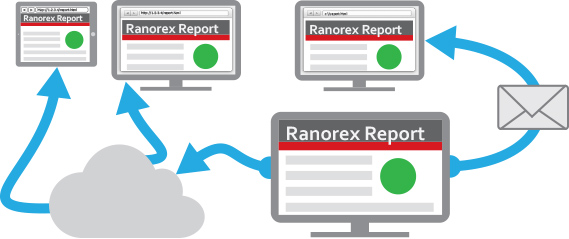
This blog post will discuss the possibilities to share your automatically generated Ranorex Reports over your local network or via email. There is no need to have Ranorex installed on the machine you will open the shared report. This is possible because the Ranorex Report format ...
Bamboo Integration|Bamboo Integration|Repository-Structure|Add RunApplication Action|Start Bamboo Server From Console|Bamboo Configure Mail Server|Bamboo Create Plan 00|Bamboo Create Plan 01|Bamboo Create Plan 02|||Bamboo Add MSBuild Task 02||Bamboo Add MSBuild Task-01|Bamboo Add-MSBuild Task 03||Bamboo Add Command Task 01|||Bamboo Initial Build|Bamboo Configure Plan|Bamboo Create Artifact Definition||Bamboo Add Notification||Bamboo Artifact

Bamboo CI with Ranorex Test Automationf

November 13, 2012
The common method for developing software has been shifting more and more from classical development models to more agile software development. In response to numerous inquiries from Ranorex customers, we have decided to write another Ranorex integration blog. This blog post will...
Ranorex Integarion|Create KeePass Solution|Create New Test|Choose VAPI-XP-Test As Type|HP Vapi-XP Wizard 01|HP Vapi-XP Wizard 02|HP Vapi-XP Wizard 03|HP Vapi-XP Wizard 04|Add Parameters to VAPI-XP-TEST|Edit Test Script|Add New Test Set 01|Add New Test Set 02|Add VAPI-XP-TEST to Test Set|Set Execution Parameters|Run Test 01|Run Test 02|Test Set Passed|Test Instance Runs|Run Details|Attached Ranorex Report

Running Ranorex Automated Tests with HP Quality Center

July 26, 2012
HP Quality Center is a web based test management software which supports both manual and automated testing of UI based applications. Having an existing HP Quality Center infrastructure, it’s easy to integrate your Ranorex automation since HP Quality Center offers so called VAPI-X...

Start your 14-day trial Today!

Full access to Ranorex Studio. No credit card required.
Ranorex Studio Trial